



CityView Portal
Skip the trip to City Hall
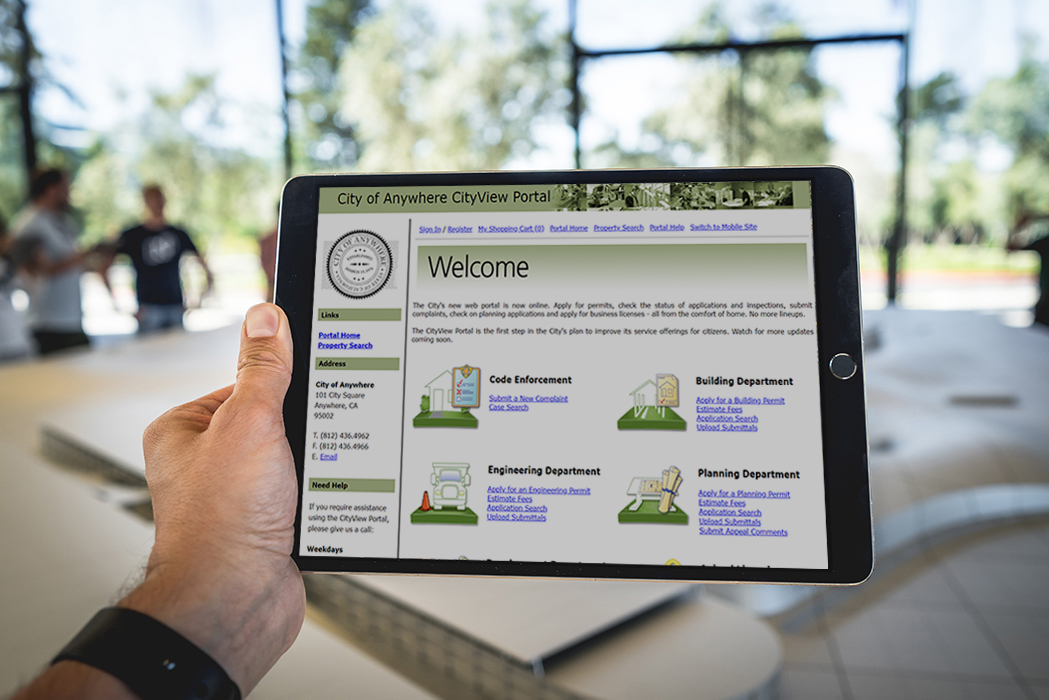
Applying for a permit or checking on a code case used to mean a trip or phone call to City Hall, the town office or the county building, often during work hours and sometimes more than once. CityView Portal lets residents, contractors and businesses handle that work from home or the office instead.
Through a personal dashboard, registered users can track every application, fee and inspection tied to their account in one place. Pages load quickly, and search and filtering make it easy to find a specific permit or case without digging through everything else. The Portal works the same way on a phone, tablet or desktop, so the experience doesn't change based on what device someone has on hand.
AI-guided self-service for residents and applicants
Permit and license applications have a lot of moving parts. The wrong form, a missing document or a misunderstood fee can stall an application before it starts.
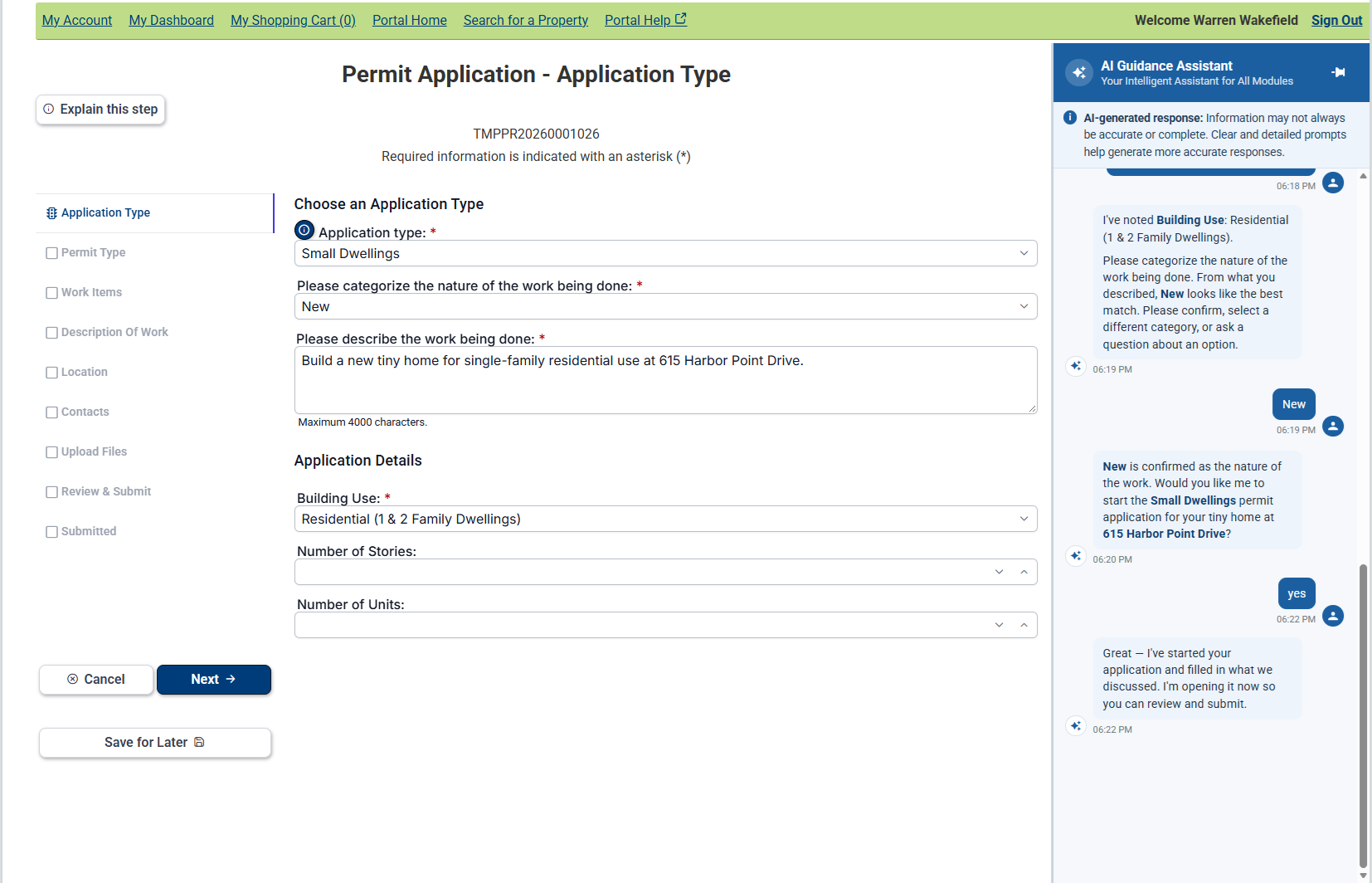
CityView Portal is enhanced with AI-guided assistance that helps applicants find the right path before they submit. It guides users to the right application type, points out potential property restrictions and helps them complete online forms correctly the first time.
Because the guidance is grounded in your jurisdiction’s configuration, workflows and business rules, it reflects how your department actually works. Applicants get answers specific to your processes, not a generic walkthrough.
Portal guidance helps applicants:
-
Identify the correct application type based on their project
-
Spot potential building limitations based on property characteristics
-
Understand how to complete online application forms correctly
For staff, this means:
-
Fewer incomplete or incorrect submissions at intake
-
Less time spent answering routine applicant questions by phone or email
-
More complete applications that move through review faster
Bottom line: Staff spend less time fielding questions and correcting submissions. Applicants get through the process with fewer stops and starts.
Changing the way people access information
South Jordan, Utah, implemented the CityView Portal, CityView Mobile, and Electronic Plans Review. Today, 99% percent of permitting, planning and licensing applications are completed online.
“Nearly 60% of our inspections are now scheduled online so we had almost 4,000 fewer inspection related phone calls.”
Fewer calls and visits, more done online
Built on the workflow your staff already use
- Portal runs on the same forms, workflow and business rules your staff already follow, so there's nothing new to configure or maintain on your end.
- Residents and contractors search and submit using a simple, guided process designed to reduce confusion and repeat questions.
- Portal connects directly to your CityView solution, plus Esri ArcGIS Server, document systems like Laserfiche, OnBase and Questys, as well as payment processors like Invoice Cloud and Paymentus. Data entered once doesn't need to be entered again.
What residents and businesses can do without calling or visiting your office
- Check permit and inspection status, pay fees and start new requests from one dashboard, without a phone call or office visit.
- Apply for business licenses, check application status and pay renewal fees online.
- Submit permit applications, pay fees and request inspections, all from the same account.
- Log code complaints that staff can see and act on right away.
- Apply for planning and zoning approvals, request meetings, track project status and pay fees.
- Submit service requests with photos attached and track them through to resolution.
- Subscribe to development activity in their area and get notified automatically, no manual lookups needed.
Get in Touch
Fewer calls to City Hall. Faster answers for residents and contractors. See how CityView Portal works for your jurisdiction.